View SCA Findings
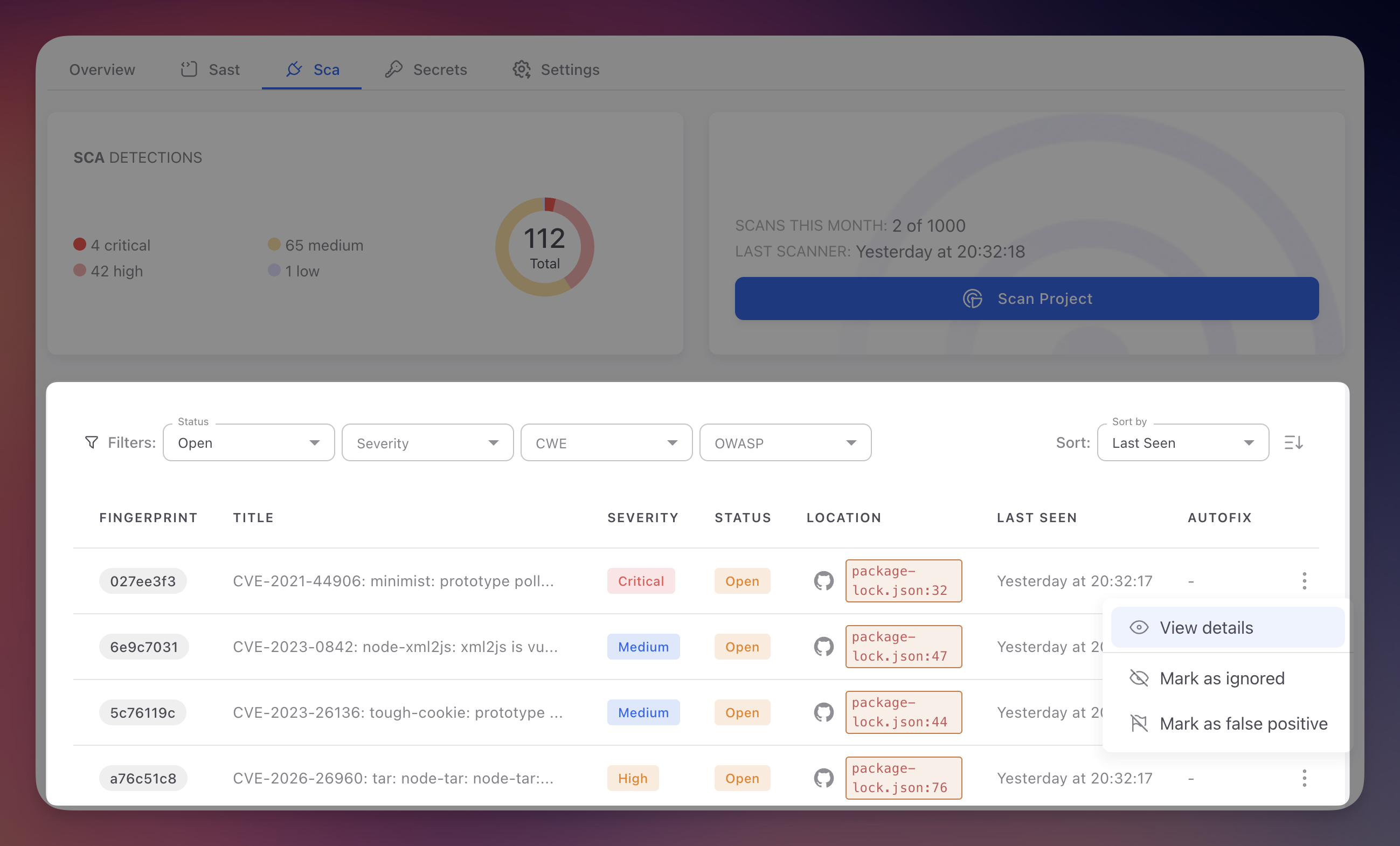
SCA findings are displayed in the SCA tab of your Radar project. Each finding represents a known vulnerability (CVE) in one of your project's dependencies, with severity information, affected package details, and remediation guidance.
 Click to expand
Unlike SAST findings which identify vulnerabilities in code you wrote, SCA findings identify vulnerabilities in third-party packages. The remediation approach differs: instead of fixing code, you typically upgrade to a patched version.
Accessing SCA Findings
- Sign in to ByteHide Cloud and open your Radar project
- Click the SCA tab in the project navigation bar
- The findings table displays all detected dependency vulnerabilities from the most recent scan
If no findings appear, either your dependencies have no known vulnerabilities or a scan has not yet completed. Use the Scan Project button to trigger a manual scan.
Findings Table Columns
| Column | Description |
|---|---|
| Fingerprint | Unique tracking ID assigned by Radar. Remains consistent across scans so you can track a vulnerability through its lifecycle |
| Title | CVE identifier and vulnerability name (e.g., "CVE-2023-44270 - PostCSS line return parsing error"). Click to open the detail panel |
| Severity | Based on CVSS score: Critical (9.0-10.0), High (7.0-8.9), Medium (4.0-6.9), Low (0.1-3.9) |
| Status | Open (unresolved), Fixed (no longer detected), Ignored (dismissed by team), False Positive (marked incorrect, rare for SCA) |
| Location | Path to the manifest or lock file where the vulnerable dependency was found, with a link to the file on GitHub |
| Last Seen | Timestamp of the most recent scan that detected this vulnerability |
| AutoFix | Whether Radar can generate a PR to upgrade the dependency. See AutoFix |
Filtering Findings
The SCA tab provides Status and Severity filters to focus on what needs attention.
- Status: filter by Open, Fixed, Ignored, or False Positive to narrow the list
- Severity: filter by Critical, High, Medium, or Low based on CVSS scores
SCA vs SAST Filters
SCA findings use CVE identifiers and CVSS severity scores from the National Vulnerability Database, not CWE or OWASP filters. This is because SCA vulnerabilities are cataloged in standardized databases with established severity ratings.
Finding Detail
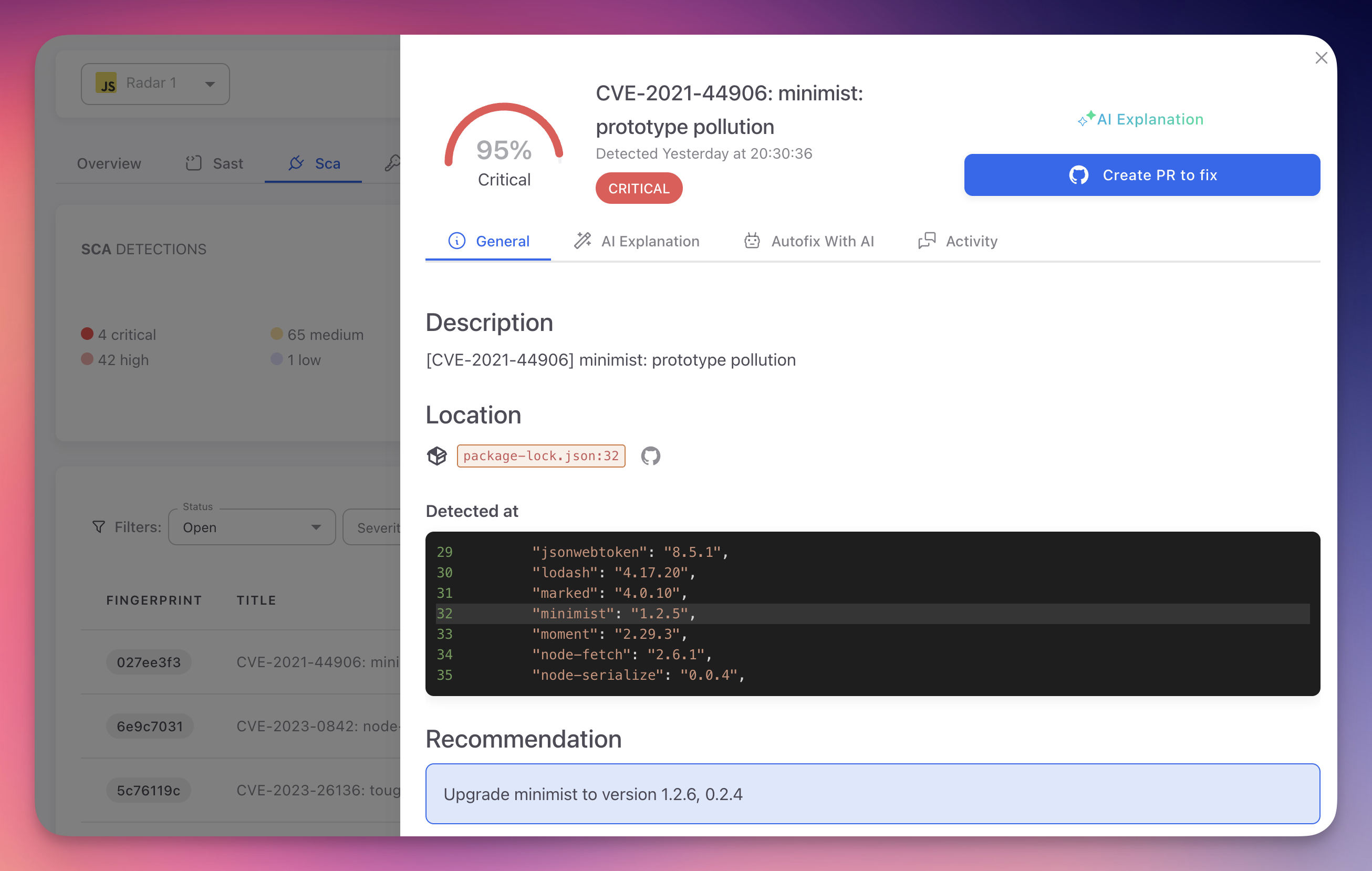
Clicking a finding opens the detail panel with full vulnerability information.
 Click to expand
The detail panel has four tabs:
| Tab | Content |
|---|---|
| General | CVE ID and description, affected package and version, fixed version, CVSS breakdown (Attack Vector, Complexity, Privileges, User Interaction, impact on Confidentiality/Integrity/Availability), and upgrade recommendation |
| AI Explanation | Plain-language analysis of the vulnerability, exploitation risk, and step-by-step remediation guidance. See AI Explanation |
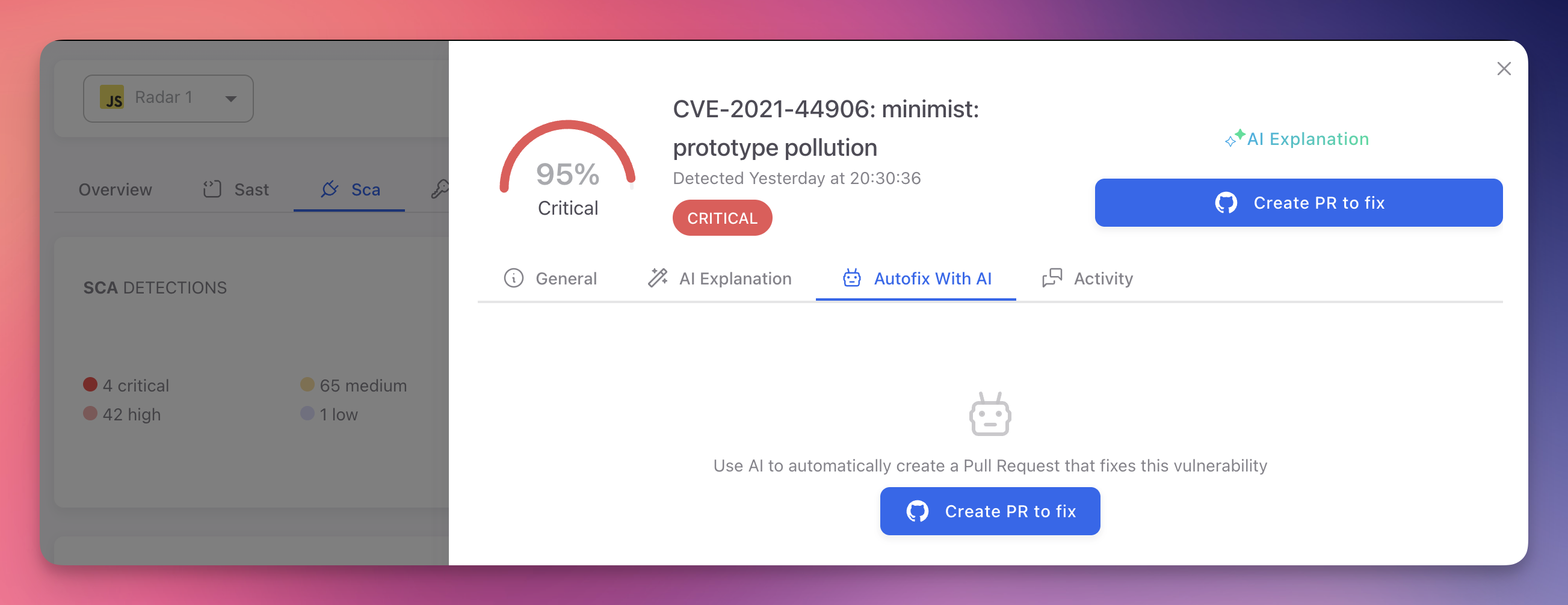
| Autofix With AI | Generate a pull request that updates the vulnerable dependency to the minimum safe version. Radar updates the manifest and lock files automatically. See AutoFix |
| Activity | History of status changes, scans, and team actions on this finding |
 Click to expand
SCA vs SAST Findings
| Aspect | SAST Findings | SCA Findings |
|---|---|---|
| Source | Vulnerabilities in your own code | Vulnerabilities in third-party packages |
| Identifiers | CWE, OWASP Top 10 | CVE identifiers |
| Severity basis | Radar's AI confidence scoring | CVSS scores from NVD |
| Remediation | Fix the code in your repository | Upgrade or replace the dependency |
| AutoFix | AI-generated code patch | Dependency version upgrade PR |
| False positives | Possible (code context matters) | Rare (CVE data is authoritative) |
Next Steps
SCA Triage and Remediation
Prioritize, triage, and remediate SCA findings effectively.
CVE Reference
CVE identifiers, CVSS scoring, and the vulnerability databases Radar uses.
Supported Ecosystems
Package ecosystems and manifest formats analyzed by Radar's SCA engine.