ByteHide AI
ByteHide integrates artificial intelligence across its security platform to help developers find, understand, and fix vulnerabilities faster. From AI-powered explanations to direct integration with your AI coding agent.
AI-Powered Features
ByteHide uses AI throughout its products to make security accessible and actionable for every developer.
MCP Integration
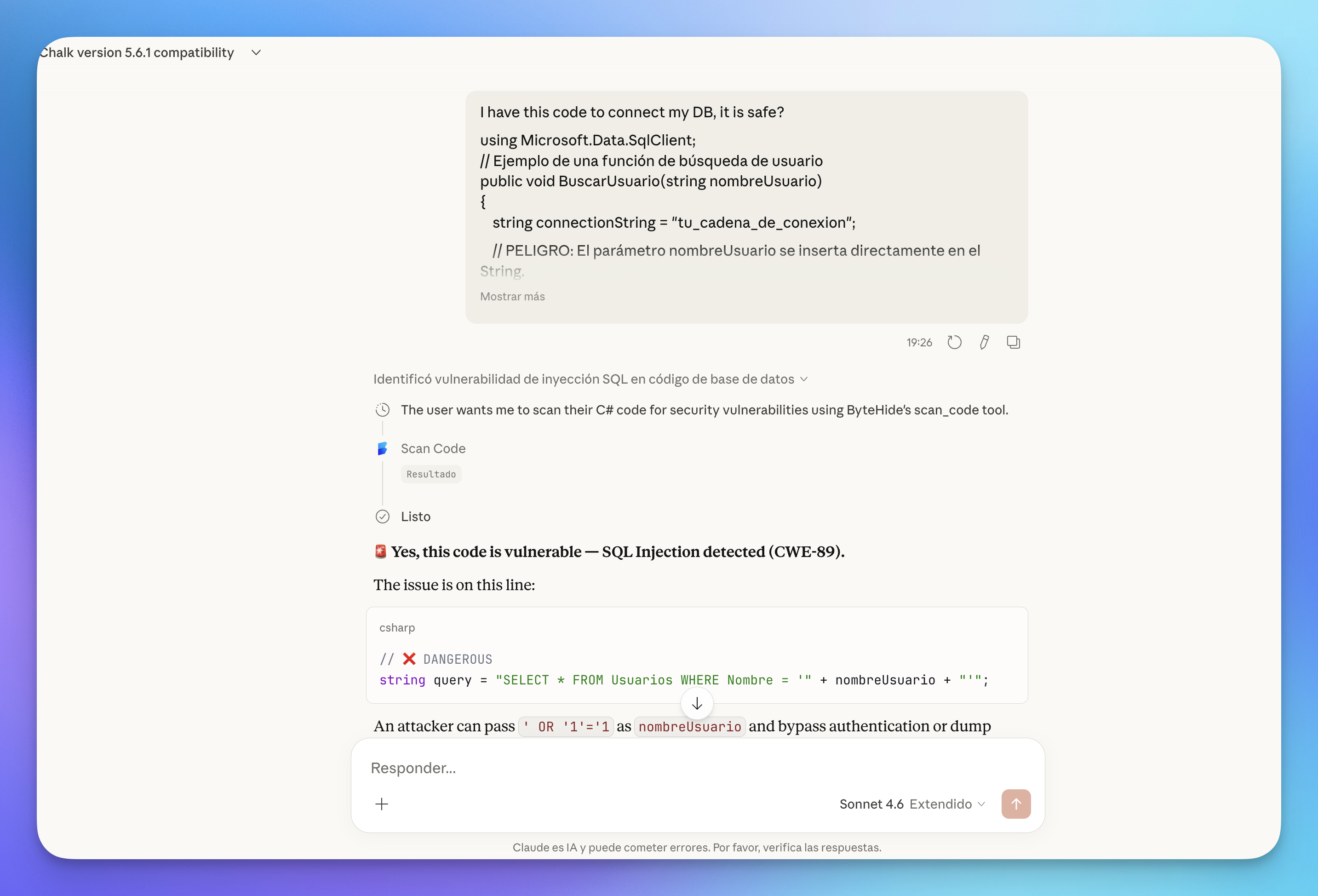
Connect ByteHide directly to your AI coding agent (Claude, Cursor, VS Code) through the Model Context Protocol. Your AI assistant becomes a security-aware coding partner that can scan code, audit dependencies, and detect secrets — all in real time as part of your conversation.
 Click to expand
Currently available for: Radar (SAST, SCA, Secrets Detection)
AI Explanation
Every vulnerability finding in Radar includes an AI-generated explanation tailored to your specific code. Instead of generic descriptions, you get a contextual analysis that explains why the code is vulnerable and what the real-world impact could be.
Available in: Radar
AutoFix
Radar can generate AI-powered fix suggestions for detected vulnerabilities. AutoFix analyzes the vulnerability in context, proposes a safe code change, and lets you apply it directly from the dashboard or as a pull request.
Available in: Radar
Runtime Correlation
ByteHide AI correlates static analysis findings from Radar with runtime data from Monitor, helping you prioritize vulnerabilities that are actually reachable and exploitable in production.
Available in: Radar + Monitor
Learn more about Runtime Correlation
AI-Assisted Security During Development
When you use ByteHide MCP with an AI coding agent, security becomes part of the development conversation — not a separate step. As the AI generates or modifies code, the MCP tools are available to review it in real time: scanning for vulnerabilities, checking dependencies before installing them, and auditing configurations for risks.
Your AI assistant acts as a security-aware pair programmer that catches issues while you write code, not after you ship it.
Available in: All MCP-compatible AI agents (Claude, Cursor, VS Code)
Getting Started
MCP Overview
Learn how the ByteHide MCP server works and what tools are available for your AI coding agent.
MCP Setup
Step-by-step guide to connect ByteHide to Claude, Cursor, VS Code, and other MCP clients.
Runtime Correlation
How AI connects Radar findings with real-time attacks from Monitor.
AutoFix
Generate AI-powered fix suggestions for detected vulnerabilities.