AI Explanation
Every finding in ByteHide Radar includes an AI-powered explanation that goes beyond the standard vulnerability description. The AI Explanation tab provides a detailed analysis of why the detected code is vulnerable, what an attacker could do with it, and how to fix it with concrete code examples.
Accessing AI Explanations
- Open any finding (SAST, SCA, or Secret) by clicking on it in the findings table
- Navigate to the AI Explanation tab in the finding detail panel
- The AI-generated analysis loads with a comprehensive breakdown of the vulnerability
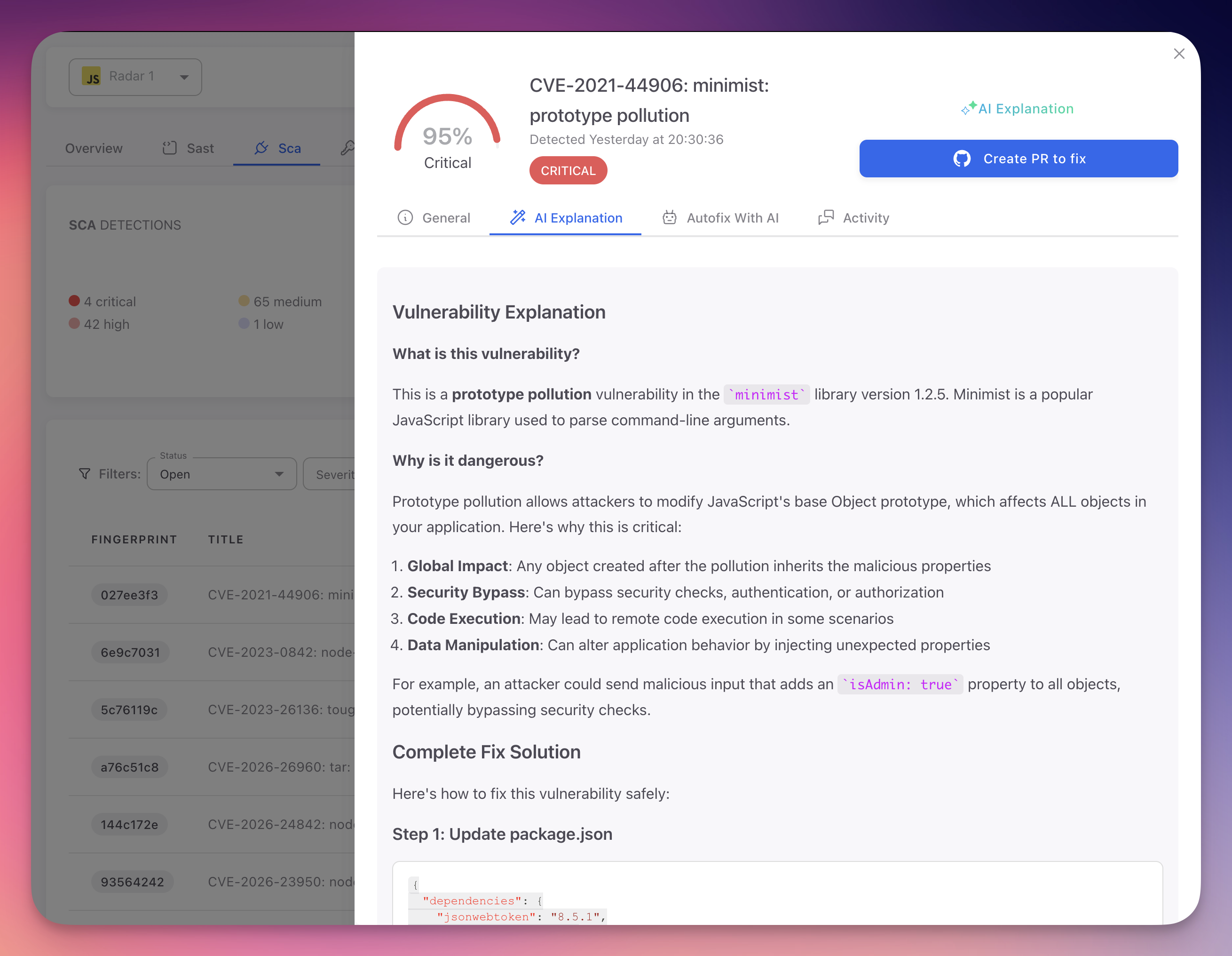 Click to expand
What the AI Explains
| Section | Description |
|---|---|
| Vulnerability description | Plain-language explanation of the security issue, what it is, why it matters, and how it relates to broader security concepts |
| Attack scenario | Concrete steps an attacker would take to exploit this vulnerability, including tools and preconditions |
| Impact assessment | Consequences of exploitation: data breach, system compromise, unauthorized access, service disruption, or compliance violations |
| Code analysis | Why the flagged code is insecure, referencing exact lines, variable names, function calls, and data flow paths |
| Secure alternative | Corrected code example that resolves the vulnerability while preserving intended functionality, following language and framework best practices |
| Best practices | Additional recommendations to prevent similar issues: input validation strategies, secure coding patterns, library recommendations |
AI Explanation vs Standard Description
- Standard descriptions (General tab) provide the CWE/CVE reference and a generic technical summary of the vulnerability class
- AI Explanations provide contextual analysis specific to your code, understanding variable names, data flow, and framework usage
For example, a standard SQL Injection description explains CWE-89 in generic terms. An AI Explanation describes exactly how your searchQuery parameter flows into db.execute() on line 42 without sanitization, and provides a parameterized query using your actual table and column names.
Using AI Explanations for Learning
AI Explanations serve as in-context security training. Each explanation teaches developers about vulnerability patterns and secure coding at the exact moment they encounter the issue.
- Individual learning: developers gain security knowledge while fixing real issues in their own code
- Code review education: share explanations in reviews to help team members understand why patterns are flagged
- Onboarding resource: new team members can review past findings to learn security standards and common pitfalls
- Knowledge retention: explanations tied to real code are more memorable than abstract training
Context-Aware Analysis
AI Explanations are generated fresh for each finding based on the actual code context. They are not canned responses. Each explanation is unique to your specific code, taking into account variable names, data flow, framework usage, and surrounding logic.
Next Steps
AutoFix
How Radar's AI automatically generates and submits code fixes for detected vulnerabilities.
View SAST Findings
Navigate, filter, and understand the SAST findings table.