View SAST Findings
After a scan completes, SAST findings appear in the SAST tab of your Radar project. This page explains how to navigate, filter, and understand the findings table.
Findings Table
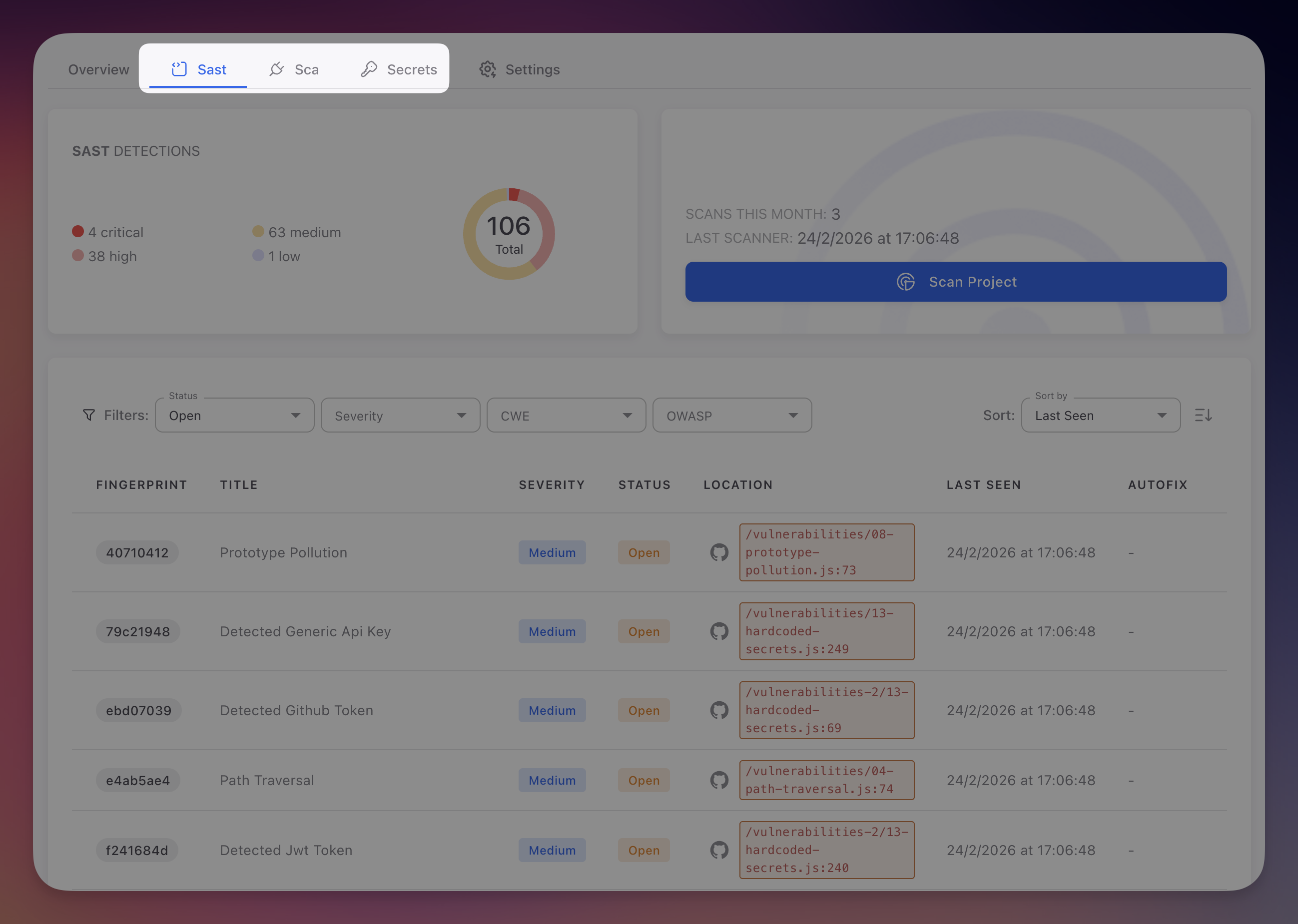
Navigate to your Radar project and click the SAST tab. The findings table shows all detected vulnerabilities:
 Click to expand
Columns
| Column | Description |
|---|---|
| Fingerprint | Unique identifier that persists across scans. Radar tracks the same vulnerability over time: if it disappears it is marked Fixed, if it reappears it is reopened |
| Title | Vulnerability name (e.g., "SQL Injection via String Concatenation", "Hardcoded Database Password") |
| Severity | Critical (red), High (orange), Medium (yellow), or Low (blue) |
| Status | Open, Fixed, Ignored, or False Positive |
| Location | File path and line number, linked directly to the code on GitHub |
| Last Seen | Timestamp of the most recent scan that detected this finding |
| AutoFix | Link to the AI-generated PR if available, dash otherwise |
Filters
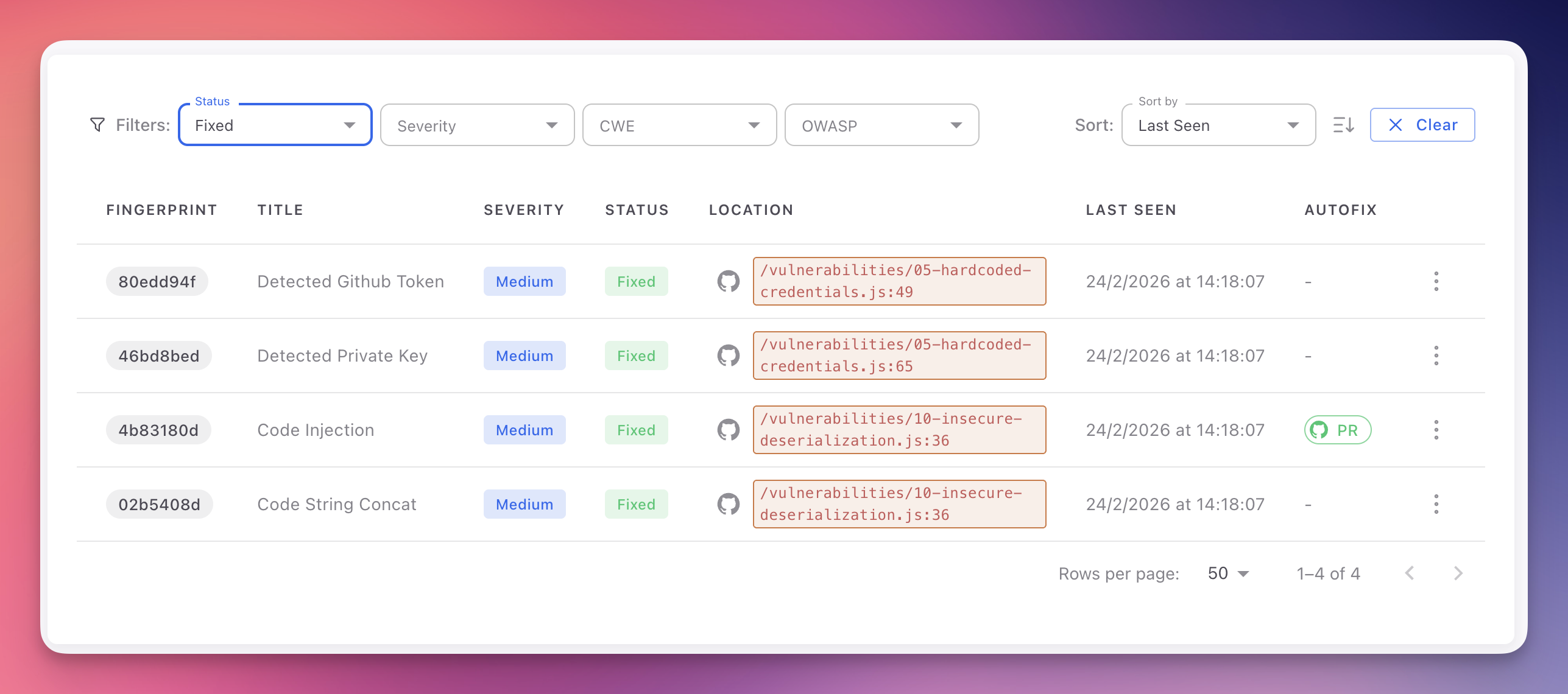
The filter bar above the table lets you narrow results:
| Filter | Options | Use case |
|---|---|---|
| Status | Open, Fixed, Ignored, False Positive | Default shows Open. Select Fixed to review remediation history |
| Severity | Critical, High, Medium, Low | Focus on Critical + High for remediation sprints |
| CWE | Search by CWE ID or name (e.g., "CWE-89") | Track remediation for a specific vulnerability class |
| OWASP | OWASP Top 10 2021 categories | Compliance reporting aligned with OWASP framework |
Multiple values can be selected per filter. Use Sort by (Last Seen, Severity) and the sort direction toggle to organize results.
 Click to expand
Finding Detail
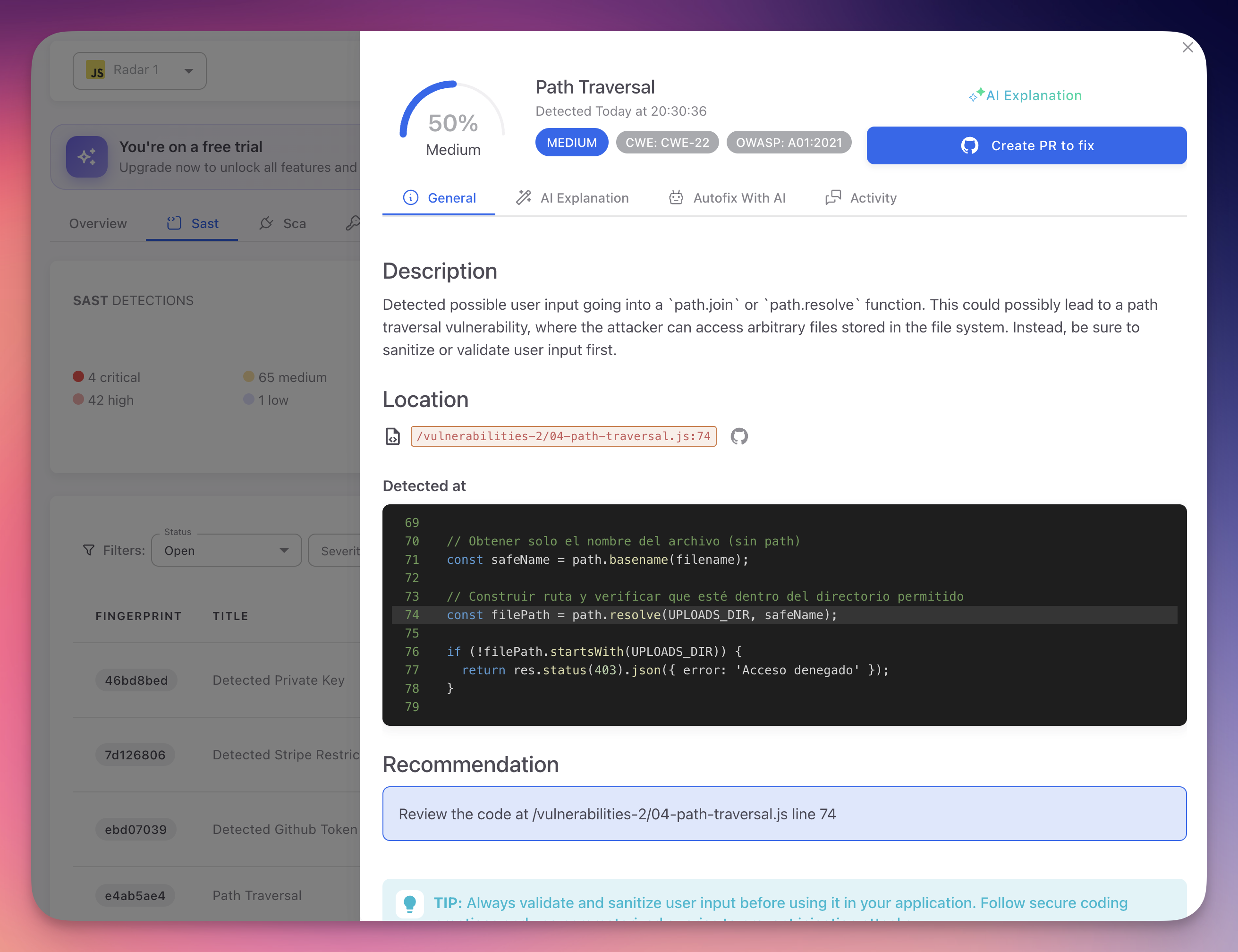
Click any row to open the finding detail panel:
 Click to expand
General Tab
- Description - What the vulnerability is and why it matters
- Location - File path, line number, and code snippet with the vulnerable line highlighted
- CWE and OWASP - Clickable badges (e.g., CWE-22, OWASP A01:2021)
- Severity and Confidence - Severity level and AI confidence score (0-100%)
- Recommendation - How to fix the issue
AI Explanation Tab
AI-generated contextual analysis: why the code is vulnerable, the specific attack scenario, how it relates to surrounding code, and tailored remediation advice.
Autofix With AI Tab
When available, shows the proposed code changes as a diff and an explanation. Click Create PR to fix to open a pull request with the fix. See AutoFix.
Activity Tab
Chronological timeline of status changes, comments, and scan history for this finding.
Bulk Actions
Select multiple findings using checkboxes to apply bulk actions:
- Mark as Ignored - Dismiss with a shared justification
- Mark as False Positive - Flag as incorrect detections
- Export - Download selected findings as a report
Pagination
Configure rows per page (10, 25, 50, 100) using the control at the bottom of the table. The total count of findings matching your current filters is displayed.
Prioritization Tip
Combine Severity: Critical + OWASP: A03 Injection to immediately surface the most dangerous injection vulnerabilities in your codebase.
Next Steps
Triage and Remediation
Review, prioritize, and resolve SAST findings.
AI Explanation
How Radar's AI provides contextual vulnerability analysis.
CWE Reference
CWE identifiers used to classify SAST findings.