Quick Start - Monitor for Android
Get ByteHide Monitor protecting your Android application in under 5 minutes using the Gradle plugin. No code changes required for basic protection.
Prerequisites
- Android Studio with Gradle support (AGP 7.0+ or 8.0+)
- Java 11 or higher
- A ByteHide account with a Monitor project (create one here)
- Your ByteHide Project Token from app.bytehide.com
Step 1: Configure Repositories
Add Maven Central to your settings.gradle.kts:
// settings.gradle.kts
pluginManagement {
    repositories {
        mavenCentral()
        gradlePluginPortal()
        google()
    }
}

dependencyResolutionManagement {
    repositories {
        mavenCentral()
        google()
    }
}
// settings.gradle.kts
pluginManagement {
repositories {
mavenCentral()
gradlePluginPortal()
google()
}
}
dependencyResolutionManagement {
repositories {
mavenCentral()
google()
}
}Step 2: Apply the Plugin
Add the Monitor plugin to your app module's build.gradle.kts:
// app/build.gradle.kts
plugins {
    id("com.android.application")
    id("com.bytehide.monitor") version "1.0.1"
}
// app/build.gradle.kts
plugins {
id("com.android.application")
id("com.bytehide.monitor") version "1.0.1"
}The plugin automatically adds the Monitor runtime library. No separate dependency needed.
Step 3: Configure
Add the monitor block with your token and the mobile preset:
monitor {
    projectToken = "bh_xxxxxxxxxxxx"
    preset = "mobile"
}
monitor {
projectToken = "bh_xxxxxxxxxxxx"
preset = "mobile"
}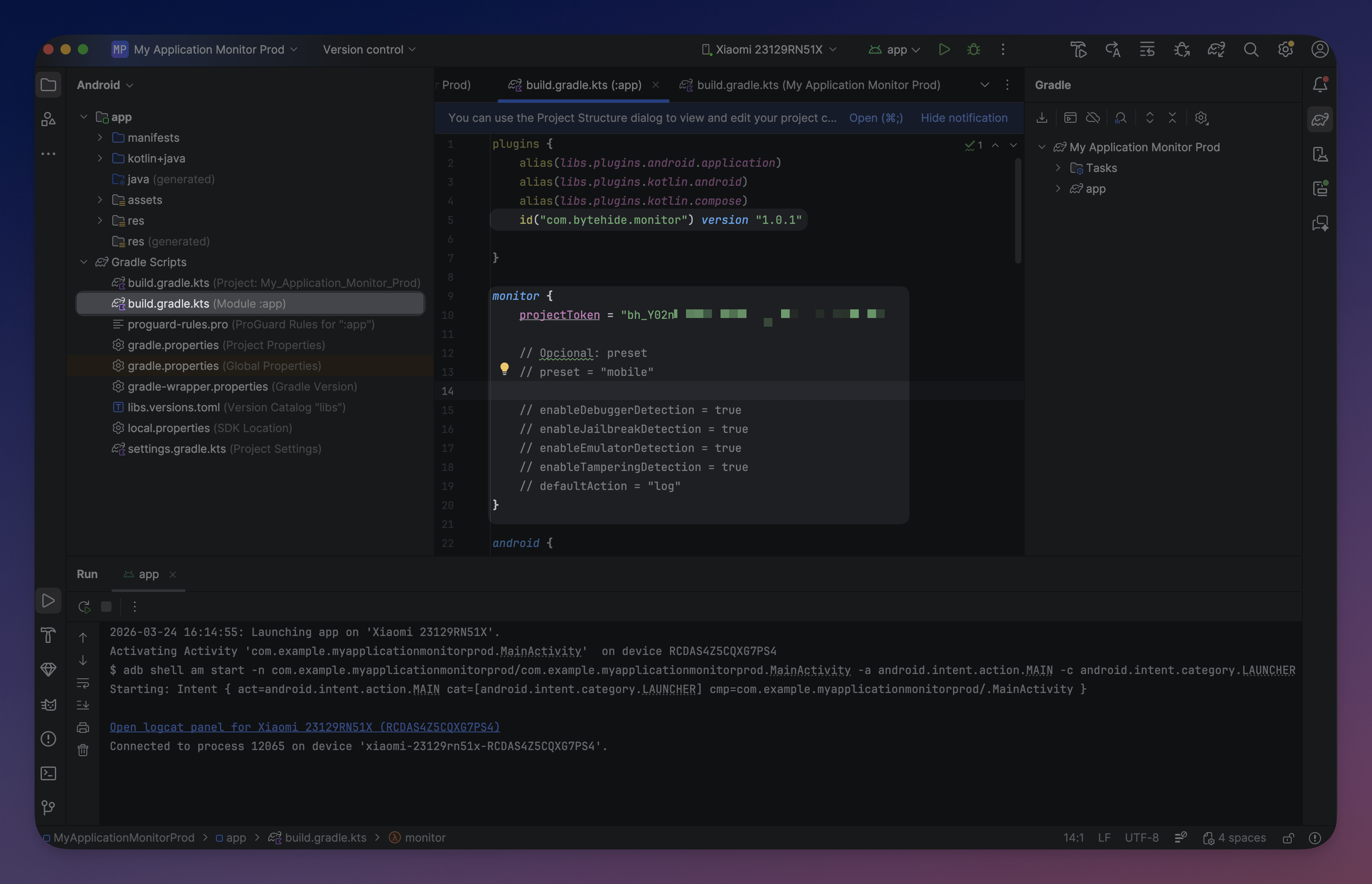 Click to expand
The mobile preset enables Debugger Detection, Clock Tampering, and Jailbreak Detection. A safe baseline for most Android applications. See Gradle Setup for all available presets.
No code changes required
The plugin generates a ContentProvider that auto-initializes Monitor when the app starts. All configuration is embedded at build time. You only need code if you want custom action handlers or runtime overrides.
Step 4: Build
./gradlew assembleDebug./gradlew assembleDebugYou'll see Monitor configuring in the build output:
Configuring ByteHide Monitor...
  API Token: bh_POlhU6...
  Package: com.example.myapp
  Generating MonitorContentProvider...
  Registering provider in AndroidManifest.xml...
  Embedding encrypted resources...
ByteHide Monitor configured successfully
Configuring ByteHide Monitor...
API Token: bh_POlhU6...
Package: com.example.myapp
Generating MonitorContentProvider...
Registering provider in AndroidManifest.xml...
Embedding encrypted resources...
ByteHide Monitor configured successfullyStep 5: Verify
Run the app and filter Logcat by tag ByteHideMonitor:
I/ByteHideMonitor: [I001_INIT_START] MonitorLogger initialized with 2 sinks
I/ByteHideMonitor: [I002_INIT_SUCCESS] ByteHideMonitor initialization complete
I/ByteHideMonitor: [I010_API_CONNECTED] Registering device...
I/ByteHideMonitor: [I001_INIT_START] MonitorLogger initialized with 2 sinks
I/ByteHideMonitor: [I002_INIT_SUCCESS] ByteHideMonitor initialization complete
I/ByteHideMonitor: [I010_API_CONNECTED] Registering device...Detected threats also appear in the ByteHide Dashboard.
What Happens at Runtime
- The plugin signs the assembly and embeds encrypted configuration into the APK at build time
- At app launch, the generated
ContentProviderinitializes Monitor automatically - Monitor verifies the assembly signature to ensure the APK has not been tampered with
- Configured protection modules start running
- Threats are logged locally and reported to the ByteHide Dashboard
Next Steps
- Gradle Setup - Full reference - All DSL options, protection modules, and presets
- Configuration API - Add custom actions and runtime overrides
- Protection Modules - All 13 available protection modules
- CI/CD Integration - Pipeline setup