Cloud Panel
The Cloud Panel is the web dashboard for managing Monitor projects, monitoring threats in real-time, configuring automated responses, and analyzing security incidents.
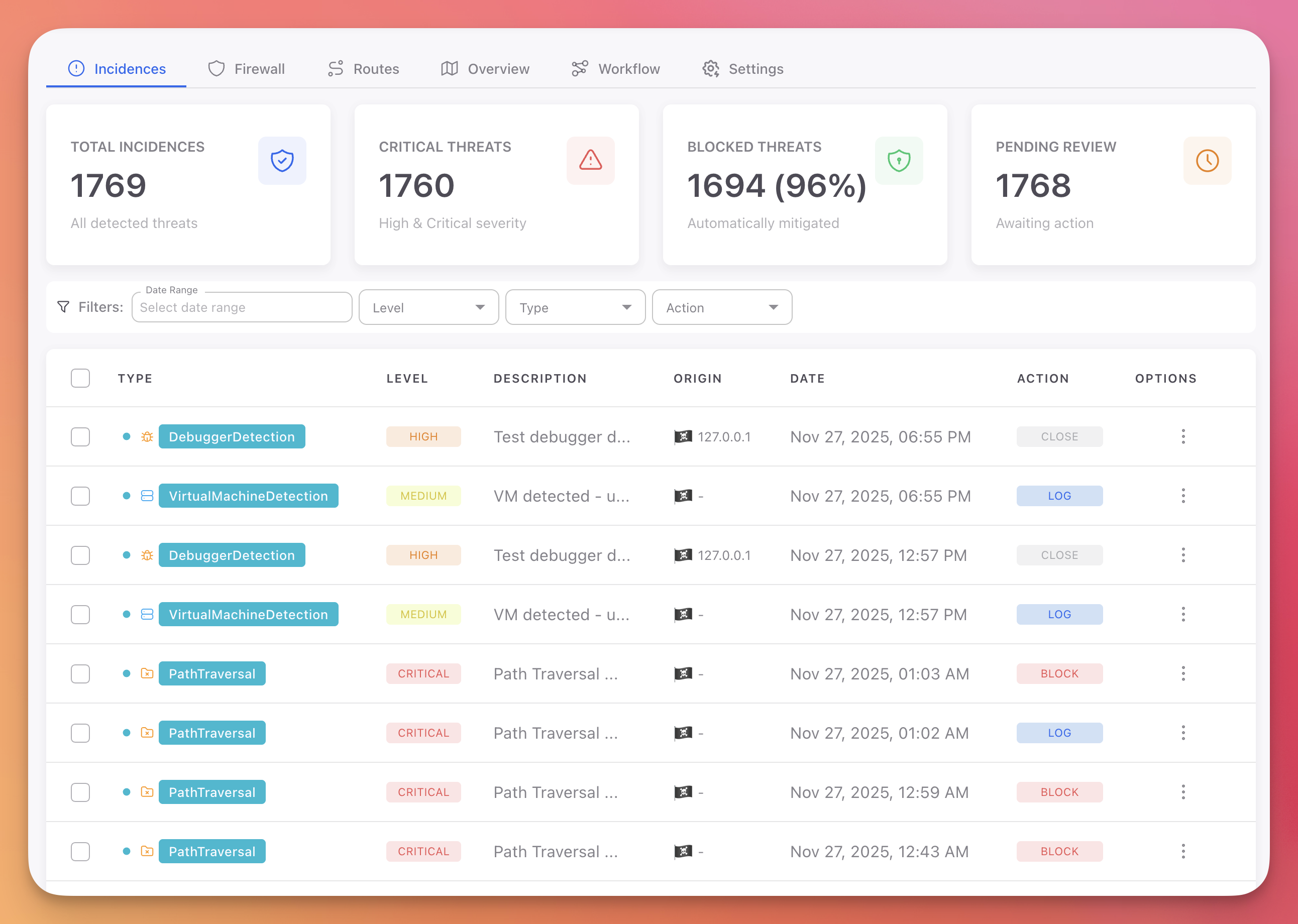 Click to expand
Dashboard Tabs
The Cloud Panel is organized into six tabs. Each tab focuses on a specific aspect of your application's runtime security.
| Tab | Description |
|---|---|
| Incidences | All detected threats with severity, origin, action taken, and AI-powered analysis |
| Firewall | Block bots, threat actor IPs, countries, custom IPs, and user agents |
| Routes | API endpoint usage and request patterns (web/cloud projects only) |
| Overview | Devices, sessions, geographic distribution map, and recent incidents |
| Workflow | Automation rules (IF threat THEN action) and advanced configuration |
| Settings | Project token, session duration, token reset, and project management |
Project Types
When creating a Monitor project, you choose the project type based on your application. This determines which protections and firewall features are available.
| On-Premise / Desktop / Mobile | Cloud / Web / API | |
|---|---|---|
| Protections | 13 passive detectors (debugger, VM, jailbreak, tampering, etc.) | 9 active interceptors (SQL injection, XSS, SSRF, etc.) |
| Actions | Log, Close, Erase, Notifications | Log, Block, Block session, Block IP, Notifications |
| Firewall | Device-level blocking | Bots, threat actor IPs, countries, custom IPs, user agents |
| Routes tab | Not available | Available |
Both project types include the Incidences, Firewall, Overview, Workflow, and Settings tabs. See Protection Modules for the full list of available protections.
Getting Started
- Create a Project: Choose your platform and project type
- Copy your token: Get the project token from the Settings tab
- Install Monitor: Add the SDK to your application with the token
- Configure rules: Set up Workflow Rules to define automated responses
- Monitor incidents: Threats appear in real-time in the Incidences tab
Explore the Cloud Panel
Create a Project
Set up your first Monitor project
Incidences
Threat monitoring with AI-powered incident analysis
Firewall
Block bots, threat actors, countries, and custom IPs
Routes
API endpoint usage and request patterns
Overview
Devices, sessions, and geographic distribution
Workflow
Automation rules and advanced configuration
Settings
Project token and session management