Android Gradle Setup
Install ByteHide Monitor in your Android project using the Gradle plugin. The plugin is required for Android: it signs and embeds the protection configuration at build time and generates the initialization code automatically.
Requirements
| Requirement | Minimum | Recommended |
|---|---|---|
| Android Gradle Plugin | 7.0 | 8.0+ |
| Java | 11 | 17 |
| Kotlin (if used) | 1.6 | 1.9+ |
| Gradle | 7.4 | 8.0+ |
| minSdk | 21 | 21 |
Step 1: Configure Repositories
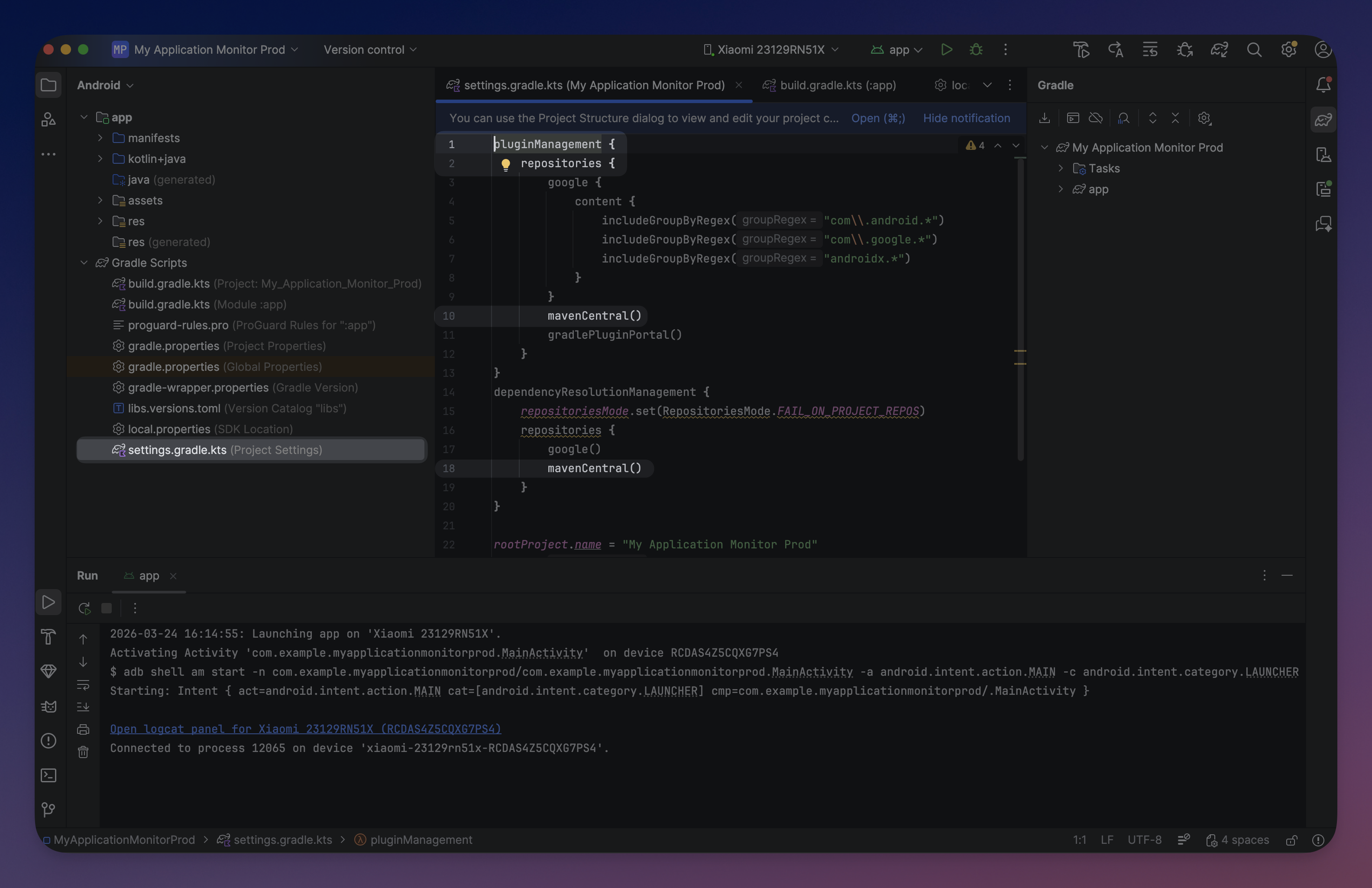
The plugin is published on Maven Central. Add the standard repositories to your settings.gradle.kts:
// settings.gradle.kts
pluginManagement {
    repositories {
        mavenCentral()
        gradlePluginPortal()
        google()
    }
}

dependencyResolutionManagement {
    repositories {
        mavenCentral()
        google()
    }
}
// settings.gradle.kts
pluginManagement {
repositories {
mavenCentral()
gradlePluginPortal()
google()
}
}
dependencyResolutionManagement {
repositories {
mavenCentral()
google()
}
} Click to expand
Step 2: Apply the Plugin
Add the Monitor plugin to your app module's build.gradle.kts:
// app/build.gradle.kts
plugins {
    id("com.android.application")
    id("com.bytehide.monitor") version "1.0.1"
}
// app/build.gradle.kts
plugins {
id("com.android.application")
id("com.bytehide.monitor") version "1.0.1"
}The plugin automatically adds com.bytehide:monitor-core:1.0.1 as an implementation dependency. No manual dependency needed.
Step 3: Configure the Plugin
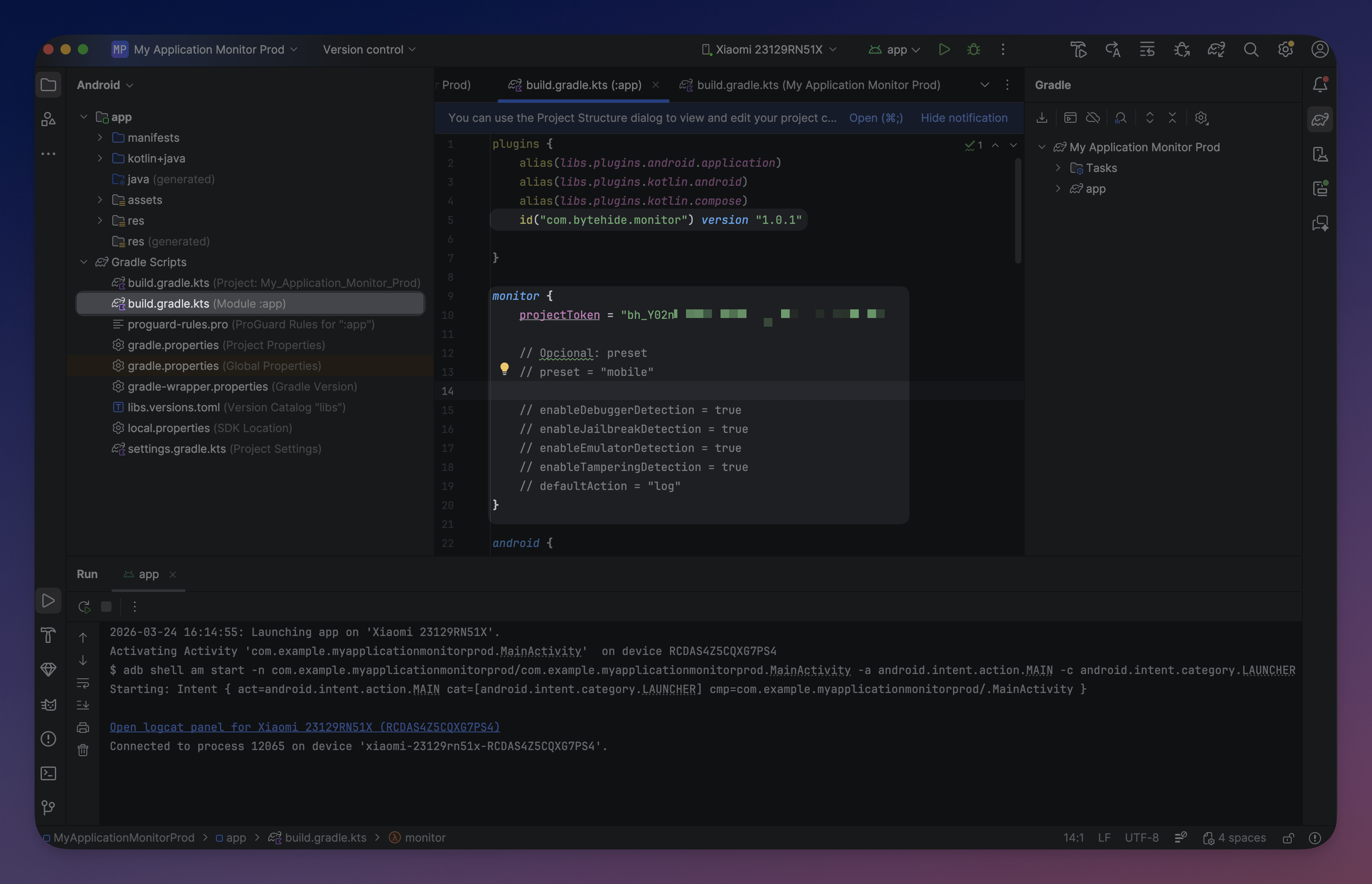
Add the monitor block with your project token:
monitor {
    projectToken = "bh_xxxxxxxxxxxx"
}
monitor {
projectToken = "bh_xxxxxxxxxxxx"
}That's it for a minimal setup. The plugin uses sensible defaults for everything else.
Using a Preset
Presets enable a predefined group of protection modules:
monitor {
    projectToken = "bh_xxxxxxxxxxxx"
    preset = "mobile"
}
monitor {
projectToken = "bh_xxxxxxxxxxxx"
preset = "mobile"
}mobile- Enables Debugger Detection, Clock Tampering, and Jailbreak Detection. Safe baseline for most Android apps.desktop- Everything in mobile plus VM Detection, Emulator Detection, Memory Dump Detection, and License Binding. For desktop JVM apps.null(default) - Uses individualenable*flags as-is. Full manual control.
When using a preset, individual enable* flags set after the preset override it.
Manual Configuration
For full control, configure each protection module individually:
monitor {
    projectToken = "bh_xxxxxxxxxxxx"

    enableDebuggerDetection = true
    enableClockTampering = true
    enableJailbreakDetection = true
    enableVirtualMachineDetection = true
    enableEmulatorDetection = true
    enableMemoryDumpDetection = false
    enableProcessInjection = false
    enableNetworkTampering = false
    enableLicenseBinding = true
    enableTamperingDetection = false
    enableContainerDetection = false
    enableRemoteDesktop = false
    enableCloudMetadata = false

    defaultAction = "log"
    defaultIntervalMs = 30000
}
monitor {
projectToken = "bh_xxxxxxxxxxxx"
enableDebuggerDetection = true
enableClockTampering = true
enableJailbreakDetection = true
enableVirtualMachineDetection = true
enableEmulatorDetection = true
enableMemoryDumpDetection = false
enableProcessInjection = false
enableNetworkTampering = false
enableLicenseBinding = true
enableTamperingDetection = false
enableContainerDetection = false
enableRemoteDesktop = false
enableCloudMetadata = false
defaultAction = "log"
defaultIntervalMs = 30000
} Click to expand
Protection Modules
| Property | Type | Default | Description |
|---|---|---|---|
enableDebuggerDetection | Boolean | true | Detect attached debuggers (ADB, JDWP, ptrace) |
enableClockTampering | Boolean | true | Detect system clock manipulation |
enableJailbreakDetection | Boolean | true | Detect root/jailbreak (Magisk, SuperSU, Xposed) |
enableVirtualMachineDetection | Boolean | true | Detect VM environments (VMware, VirtualBox, QEMU) |
enableEmulatorDetection | Boolean | true | Detect Android emulators (Genymotion, AVD, BlueStacks) |
enableMemoryDumpDetection | Boolean | false | Detect memory dumping tools (Frida, Objection) |
enableProcessInjection | Boolean | false | Detect process injection attacks |
enableNetworkTampering | Boolean | false | Detect MITM proxies, VPNs, SSL interception |
enableLicenseBinding | Boolean | true | Validate license binding to device |
enableTamperingDetection | Boolean | false | Detect file/code integrity violations |
enableContainerDetection | Boolean | false | Detect Docker, Kubernetes, LXC |
enableRemoteDesktop | Boolean | false | Detect remote desktop sessions |
enableCloudMetadata | Boolean | false | Detect cloud metadata endpoints |
Behavior
| Property | Type | Default | Description |
|---|---|---|---|
defaultAction | String | "log" | Action when a threat is detected: "log", "close", "erase" |
defaultIntervalMs | Int | 30000 | Detection check interval in milliseconds |
Token Resolution
The project token is resolved in priority order:
| Priority | Source | Example |
|---|---|---|
| 1 | monitor {} DSL | projectToken = "bh_xxx" |
| 2 | Environment variable | BYTEHIDE_API_TOKEN=bh_xxx |
| 3 | local.properties | bytehide.api.token=bh_xxx |
For teams, use local.properties (already in .gitignore) or an environment variable so the token is never committed.
What the Plugin Does at Build Time
When you run ./gradlew assembleDebug (or any build), the plugin:
- Signs the assembly to protect the APK against tampering
- Generates a
ContentProviderthat auto-initializes Monitor when the app starts - Registers the provider in
AndroidManifest.xml - Adds
INTERNETpermission if not already present - Embeds encrypted configuration with your protection settings
All of this happens automatically. No code changes required for basic protection.
Step 4: Build and Verify
Run a build:
./gradlew assembleDebug./gradlew assembleDebugWhen the build runs successfully, you'll see:
Configuring ByteHide Monitor...
  API Token: bh_POlhU6...
  Package: com.example.myapp
  Generating MonitorContentProvider...
  Registering provider in AndroidManifest.xml...
  Signing assembly...
  Embedding encrypted resources...
ByteHide Monitor configured successfully
Configuring ByteHide Monitor...
API Token: bh_POlhU6...
Package: com.example.myapp
Generating MonitorContentProvider...
Registering provider in AndroidManifest.xml...
Signing assembly...
Embedding encrypted resources...
ByteHide Monitor configured successfullyAt runtime, filter Logcat by tag ByteHideMonitor to confirm Monitor is running:
I/ByteHideMonitor: [I001_INIT_START] MonitorLogger initialized with 2 sinks
I/ByteHideMonitor: [I002_INIT_SUCCESS] ByteHideMonitor initialization complete
I/ByteHideMonitor: [I010_API_CONNECTED] Registering device...
I/ByteHideMonitor: [I001_INIT_START] MonitorLogger initialized with 2 sinks
I/ByteHideMonitor: [I002_INIT_SUCCESS] ByteHideMonitor initialization complete
I/ByteHideMonitor: [I010_API_CONNECTED] Registering device...ProGuard / R8
The library ships consumer ProGuard rules automatically. No extra configuration needed.
Package Name Detection
The plugin auto-detects your package name from android.namespace or applicationId. If auto-detection fails, set it explicitly:
monitor {
    packageName = "com.example.myapp"
}
monitor {
packageName = "com.example.myapp"
}Next Steps
- Quick Start - Get protected in 5 minutes
- Configuration API - Code-based configuration for custom actions
- CI/CD Integration - Pipeline setup