MCP Overview
ByteHide is available as an MCP (Model Context Protocol) server, allowing AI coding agents like Claude, Cursor, and VS Code Copilot to scan your code for vulnerabilities, audit dependencies, and detect secrets — all directly from your AI workflow.
What Is MCP
The Model Context Protocol (MCP) is an open standard that lets AI assistants connect to external tools and data sources. Instead of copying and pasting code into a security scanner, the AI agent calls ByteHide directly and gets results in real time as part of the conversation.
With the ByteHide MCP integration, your AI assistant becomes a security-aware coding partner that can:
- Scan code for vulnerabilities (SAST) and hardcoded secrets as you write it
- Check dependencies before you install them to catch known CVEs
- Audit manifest files (package.json, requirements.txt, go.mod, etc.) for vulnerable packages
- Review AI configurations for prompt injection risks, credential exposure, and overpermissioning
- List and manage your ByteHide projects directly from the AI conversation
See It in Action
Checking a dependency before installing
Ask your AI agent if a package is safe. ByteHide checks it against known vulnerabilities and tells you whether to upgrade.
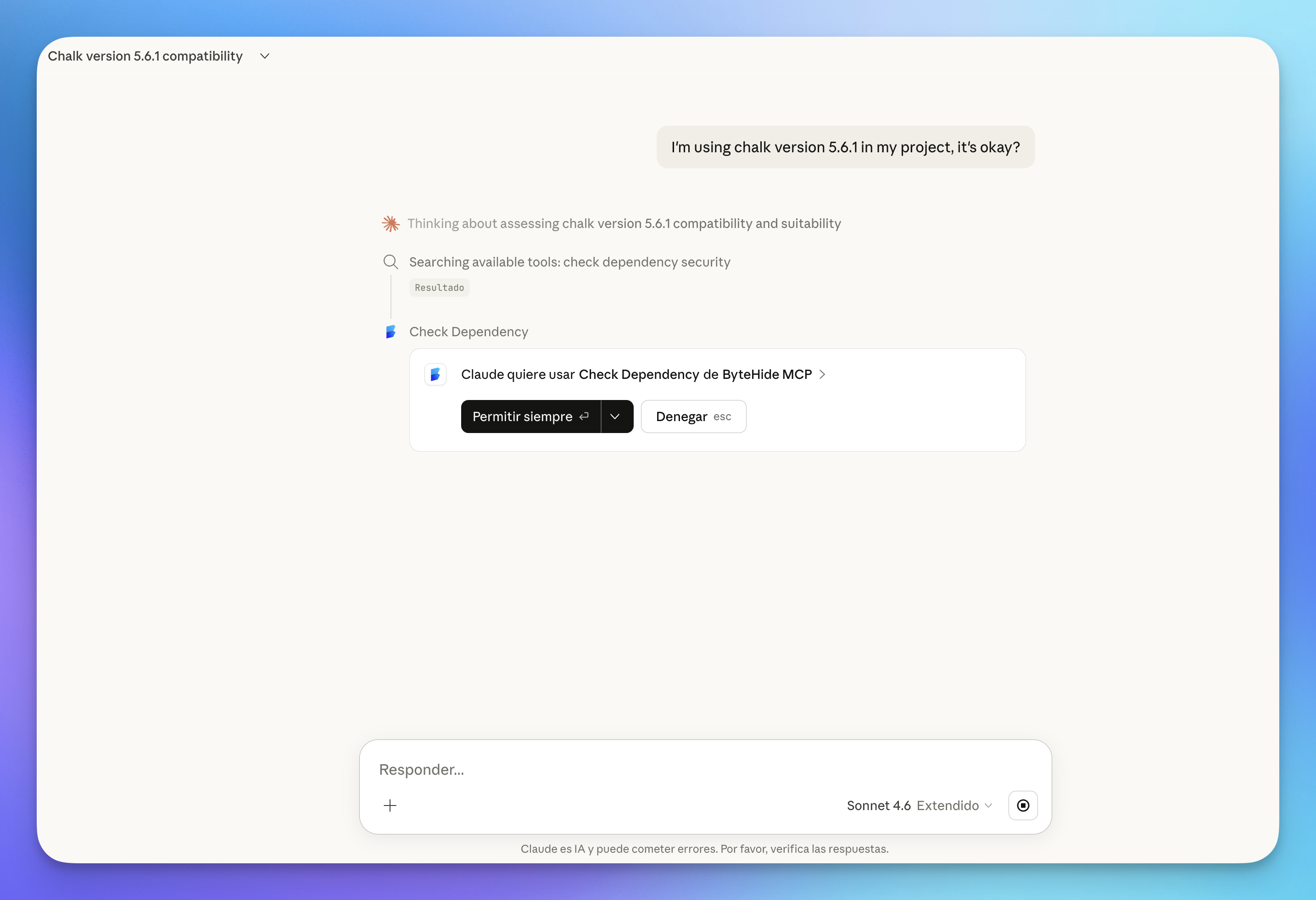 Click to expand
The response includes the specific vulnerability found, the affected version, and the exact command to upgrade:
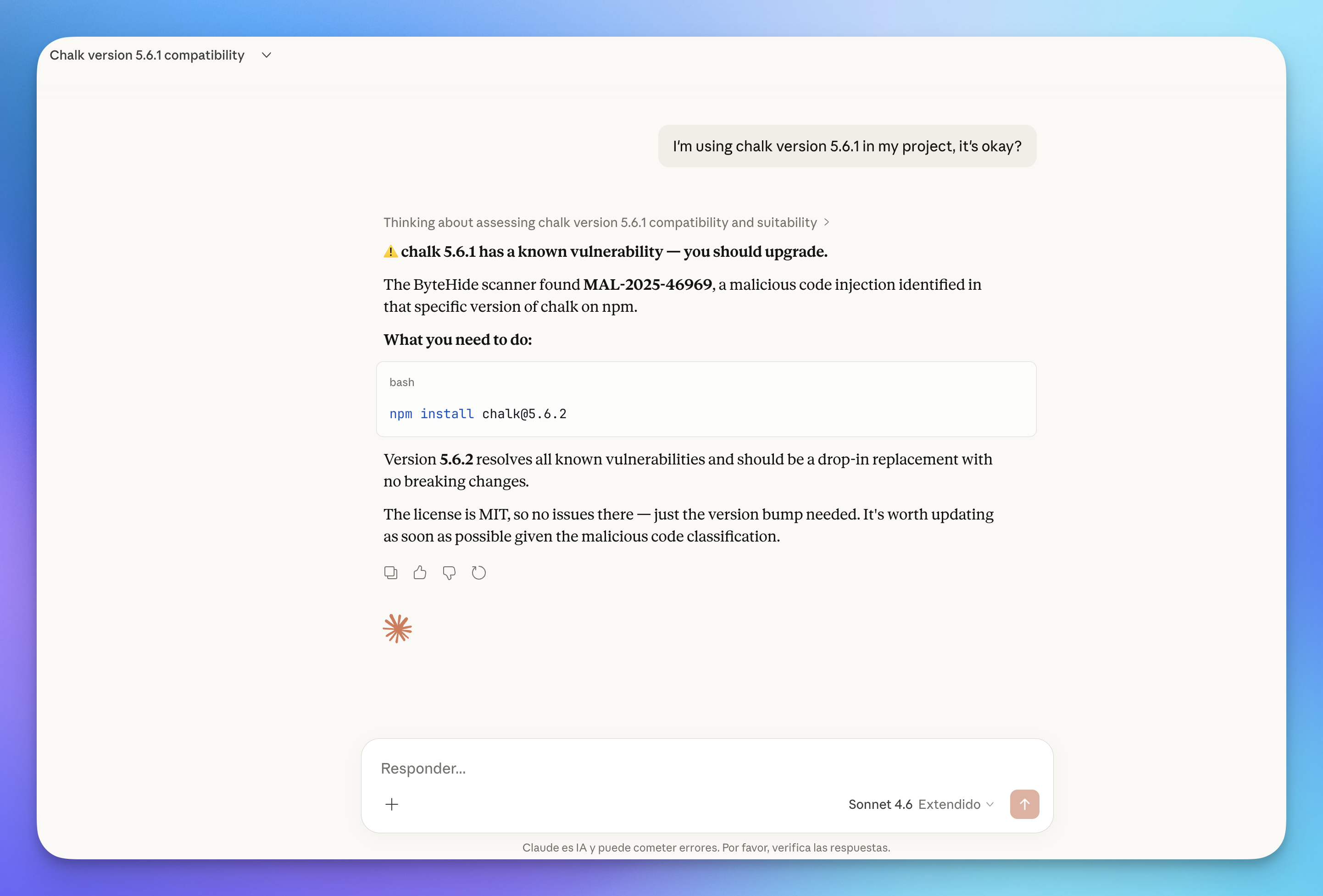 Click to expand
Scanning code for vulnerabilities
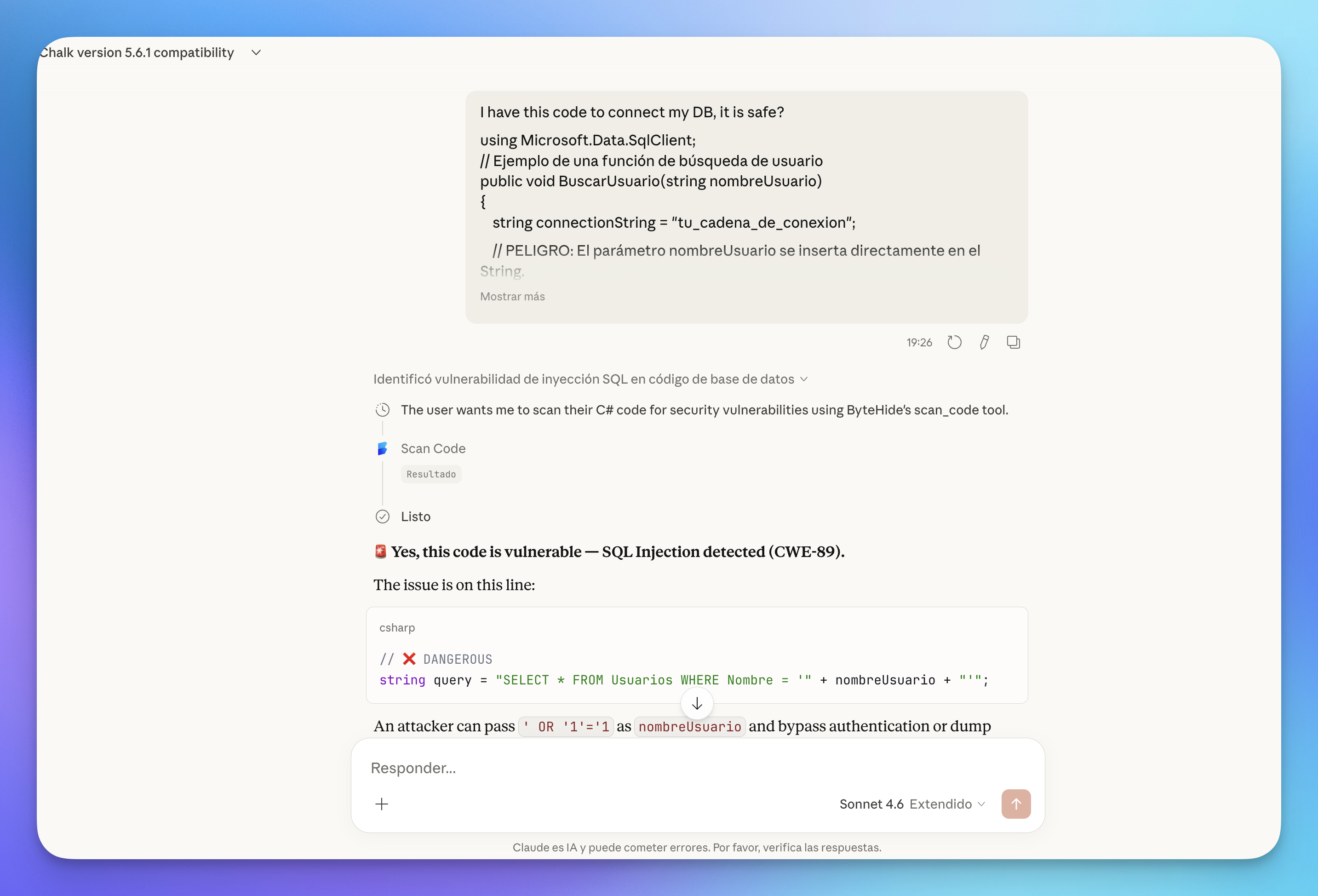
Paste or share code with your AI agent and ask if it's safe. ByteHide runs a SAST scan and returns findings with severity, CWE references, and fix recommendations.
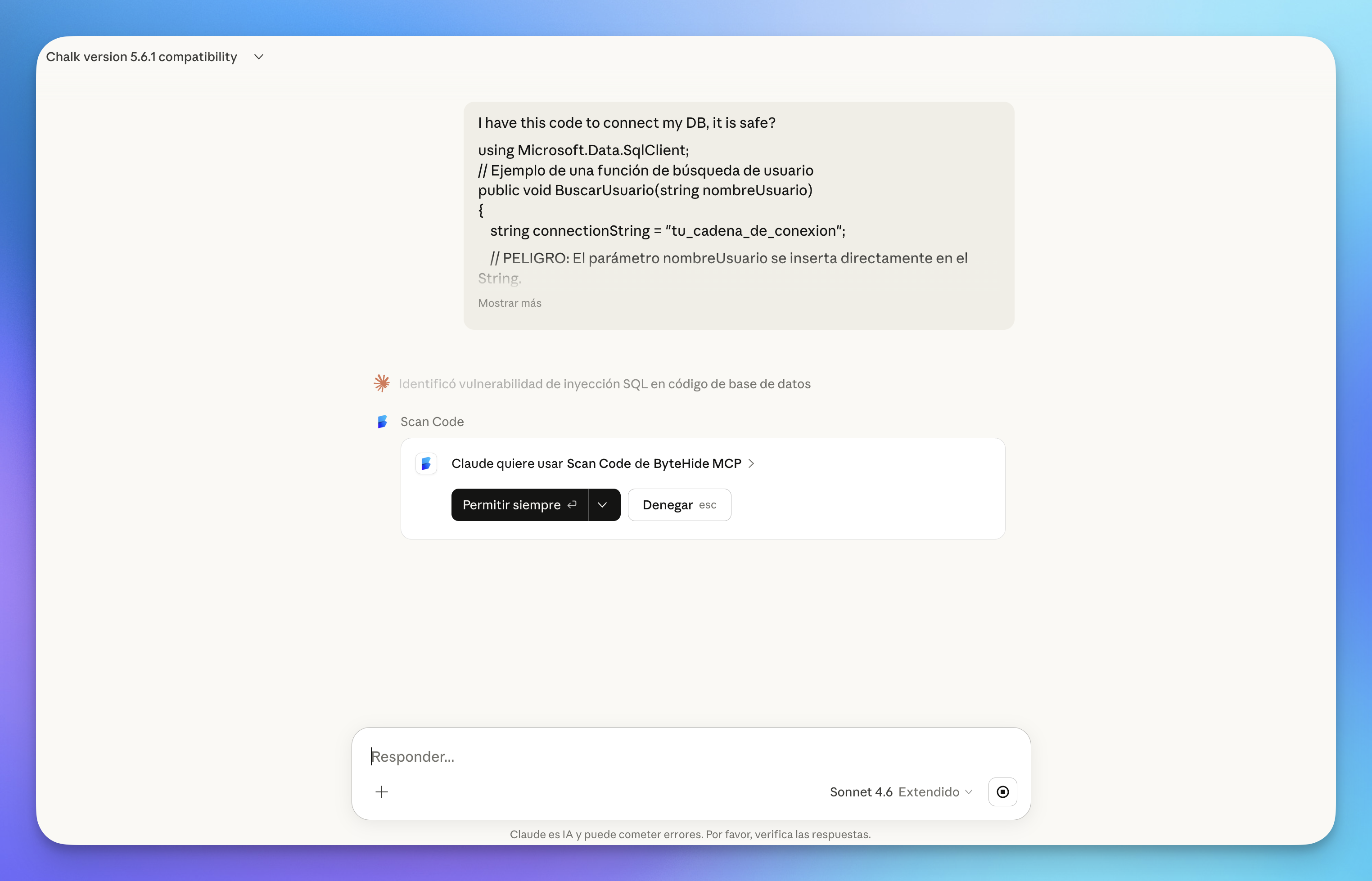 Click to expand
The scan returns detailed results including the vulnerability type, affected file, and a clear explanation of the issue:
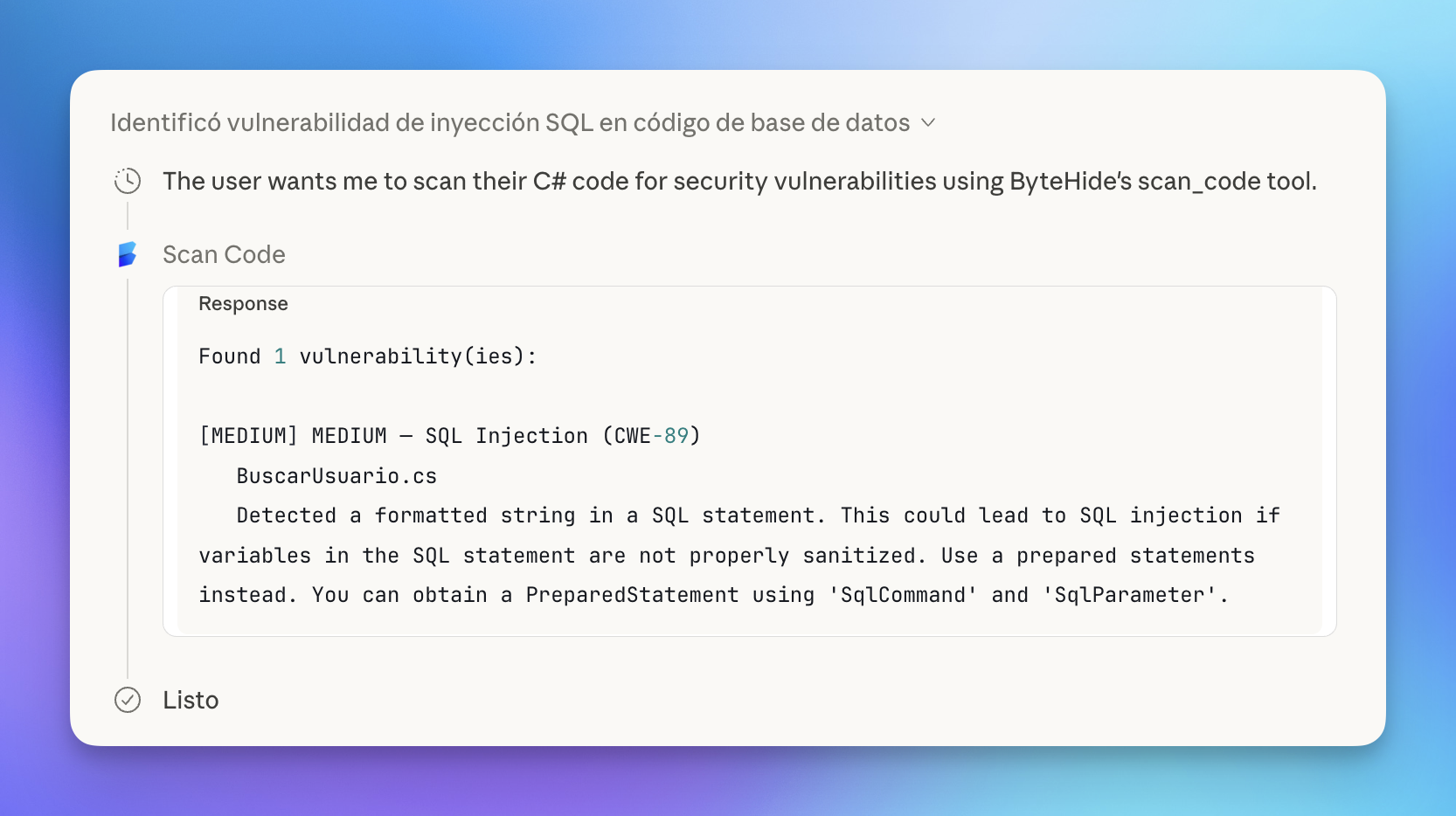 Click to expand
Claude then explains the vulnerability in context, highlighting the dangerous line and showing how an attacker could exploit it:
 Click to expand
Auditing all dependencies at once
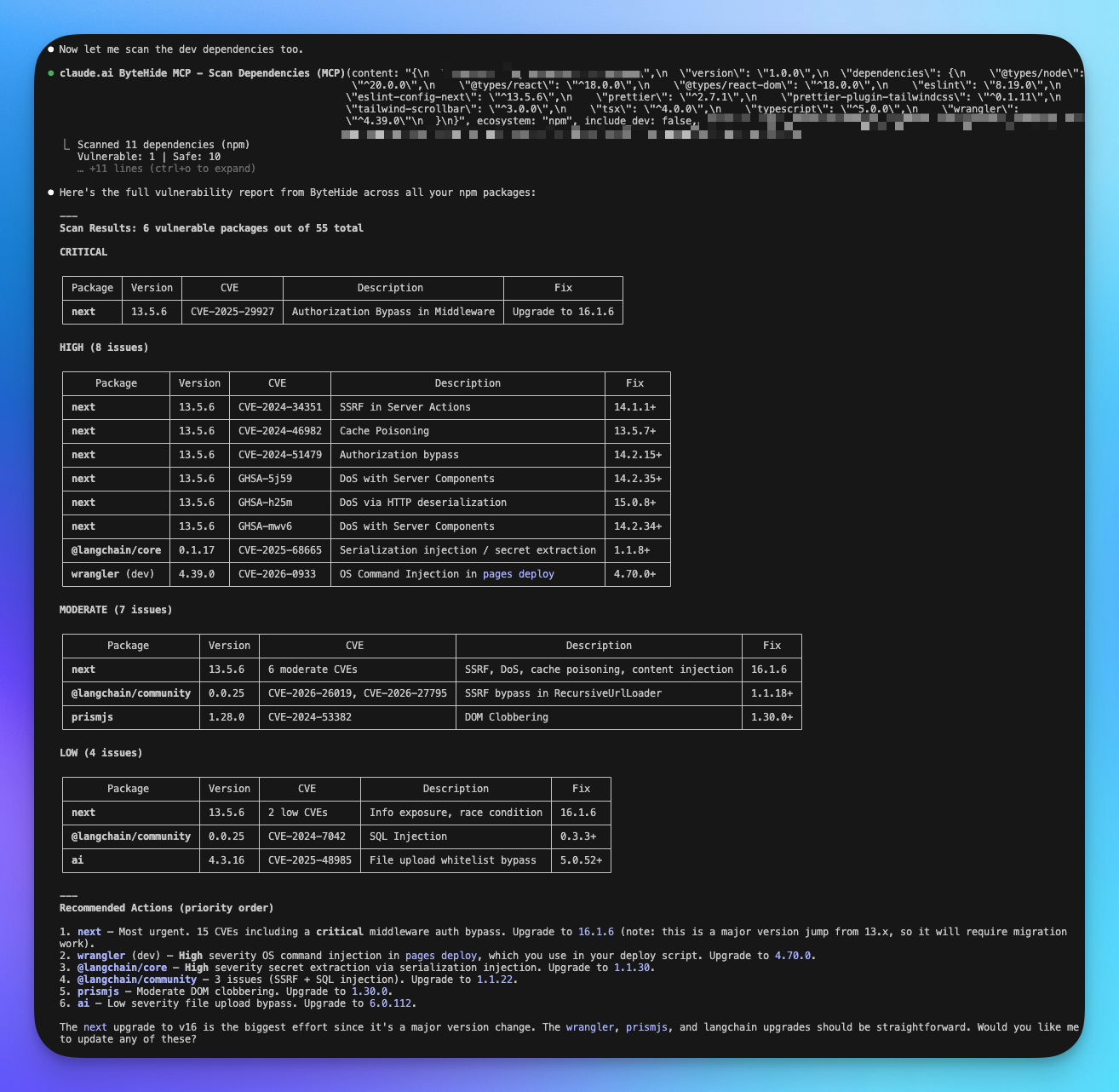
In Claude Code (CLI), you can audit your entire package.json in a single request. ByteHide scans all dependencies and returns a prioritized vulnerability report.
 Click to expand
The report includes prioritized recommended actions, telling you exactly which packages to upgrade first and the effort involved for each change.
Available Tools by Product
The MCP server exposes tools organized by ByteHide product. Each product section in the documentation covers its specific MCP tools in detail.
Radar
| Tool | Description |
|---|---|
scan_code | Scan source code for vulnerabilities and hardcoded secrets (SAST + Secrets) |
check_dependency | Check if a specific package is safe before installing it (SCA) |
scan_dependencies | Audit all dependencies in a manifest file for known CVEs (SCA) |
list_projects | List all ByteHide projects in your organization |
audit_ai_environment | Scan AI config files for security risks — runs 100% locally |
For detailed parameters and usage examples, see Radar MCP Tools.
Local-Only Audit
The audit_ai_environment tool runs entirely on your machine. It never sends your configuration files (.env, .claude.md, .mcp.json, etc.) to ByteHide servers. All analysis happens locally within the AI agent.
Supported Languages & Ecosystems
Code Scanning (SAST + Secrets)
General Availability: C, C++, C#, Go, Java, JavaScript, JSX, TypeScript, TSX, Kotlin, PHP, Python, Ruby, Rust, Scala, Swift.
Also supported: Apex, Bash, Dart, Dockerfile, Elixir, HTML, JSON, Lua, OCaml, R, Solidity, Terraform, XML, YAML, and more.
Dependency Scanning (SCA)
| Ecosystem | Manifest File |
|---|---|
| npm | package.json |
| PyPI | requirements.txt, Pipfile |
| Maven | pom.xml |
| NuGet | *.csproj |
| Go | go.mod |
| RubyGems | Gemfile |
| Cargo | Cargo.toml |
| Packagist | composer.json |
How It Works
- Connect your AI agent to the ByteHide MCP server (one-time setup)
- Authenticate via OAuth — a browser window opens to log in to your ByteHide account
- Use it — ask your AI assistant to scan code, check a package, or audit dependencies. The agent calls the right tool automatically
Projects are created automatically in your ByteHide dashboard when you scan for the first time. All findings sync to the cloud panel so you can track them alongside your regular scans.
Next Steps
Setup & Connection
Step-by-step guide to connect ByteHide MCP to Claude, Cursor, VS Code, and other AI agents.
Radar MCP Tools
Detailed reference for scan_code, check_dependency, scan_dependencies, and other Radar tools.