Create a Logs Project
What are ByteHide Projects?
ByteHide projects are the foundation for organizing and managing your application logs and monitoring. Projects allow you to:
- Organize your logs by application or service
- Manage multiple environments (development, staging, production)
- Control access for team members with different permission levels
- Configure alerting for log monitoring and error detection
- View logging history and analyze patterns across your applications
- Connect with source control for automated log correlation
Each project provides a unique token that authenticates your applications with the ByteHide logging service.
Create Your Project
- Sign in to ByteHide Cloud
- Go to Projects section
- Click Create Project in the dashboard
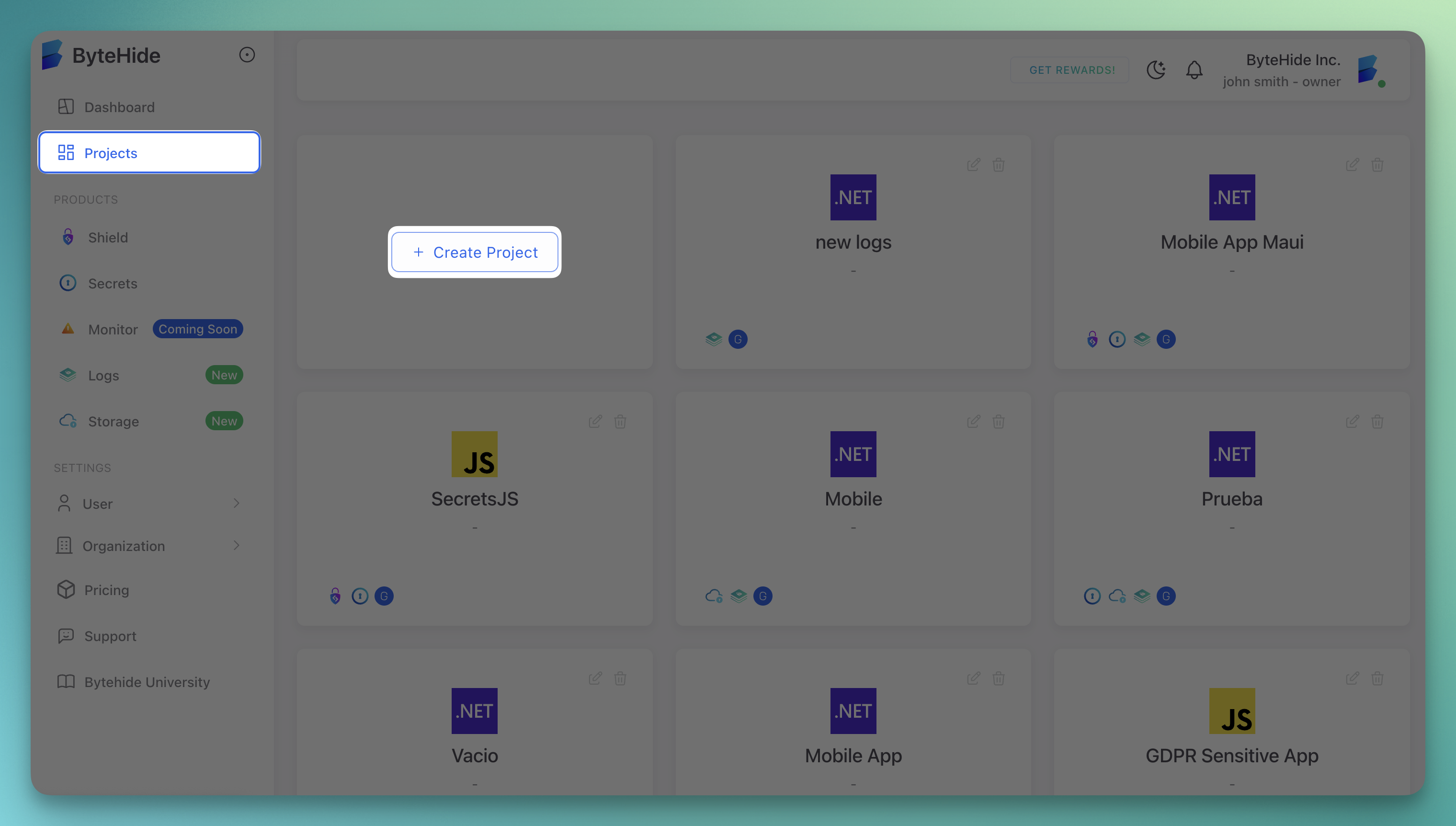 Click to expand
 - Select Logs as the project type
- Enter a project name and description
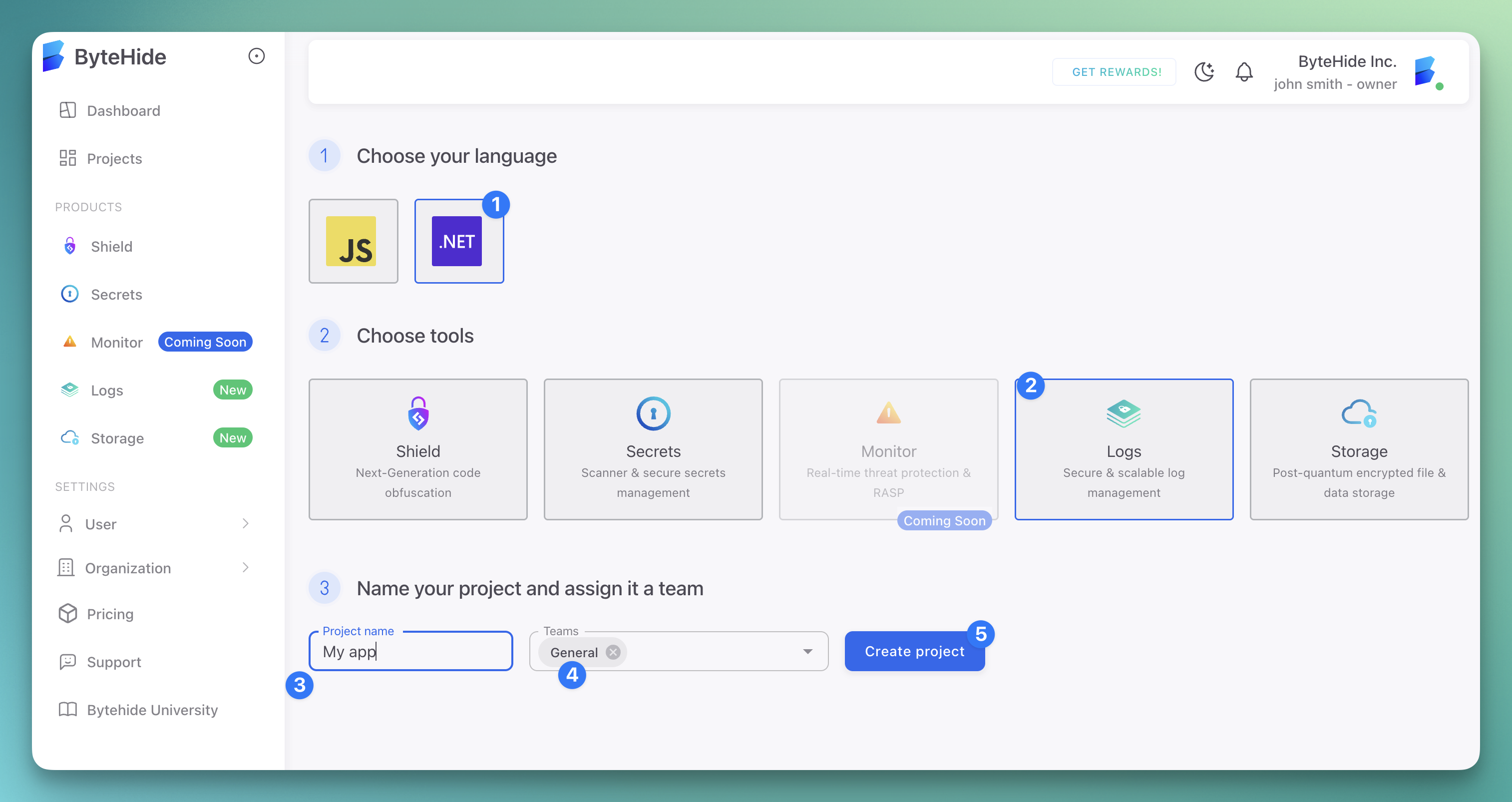 Click to expand
 - Click Create
Get Your Project Token
Security Notice
Keep your project token secure and never commit it to source control.
After creating your project, you'll need the project token for your logging configuration:
- Go to your logs project
- In the main view you will see the Project token box
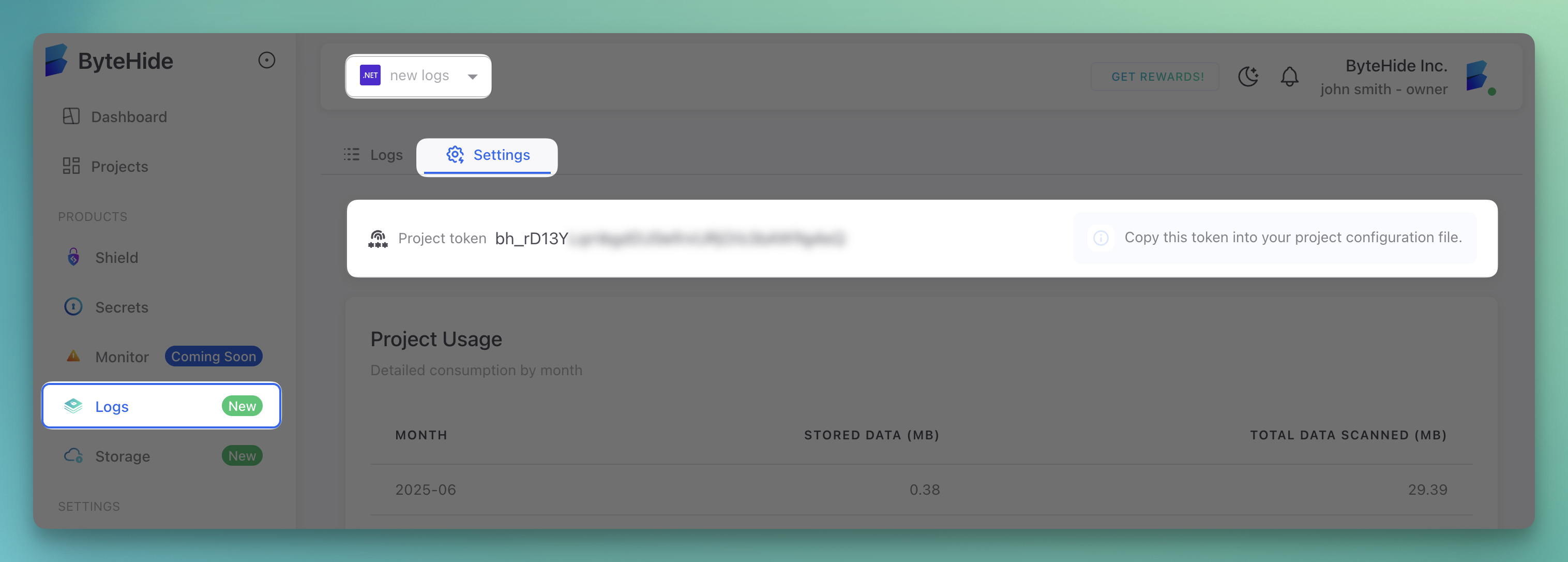 Click to expand
 - Copy your project token
Project Settings
Once your project is created, you can configure:
- Project name and description - Update basic project information
- Environments - Create different environments (dev, staging, prod)
- Team members - Add team members with different permission levels
- Integrations - Connect with third-party services
- Alerting rules - Set up alerts for specific log patterns
- Retention policies - Configure how long logs are retained
Next Steps
Now that you have created your project and obtained your token:
For more details on using your project token, see Project Token Configuration.